EASYREF
The best tool to add references in your projects!
Seamlessly incorporate reference images directly into your 3D view. Your focus stays on your work.
Tool 1
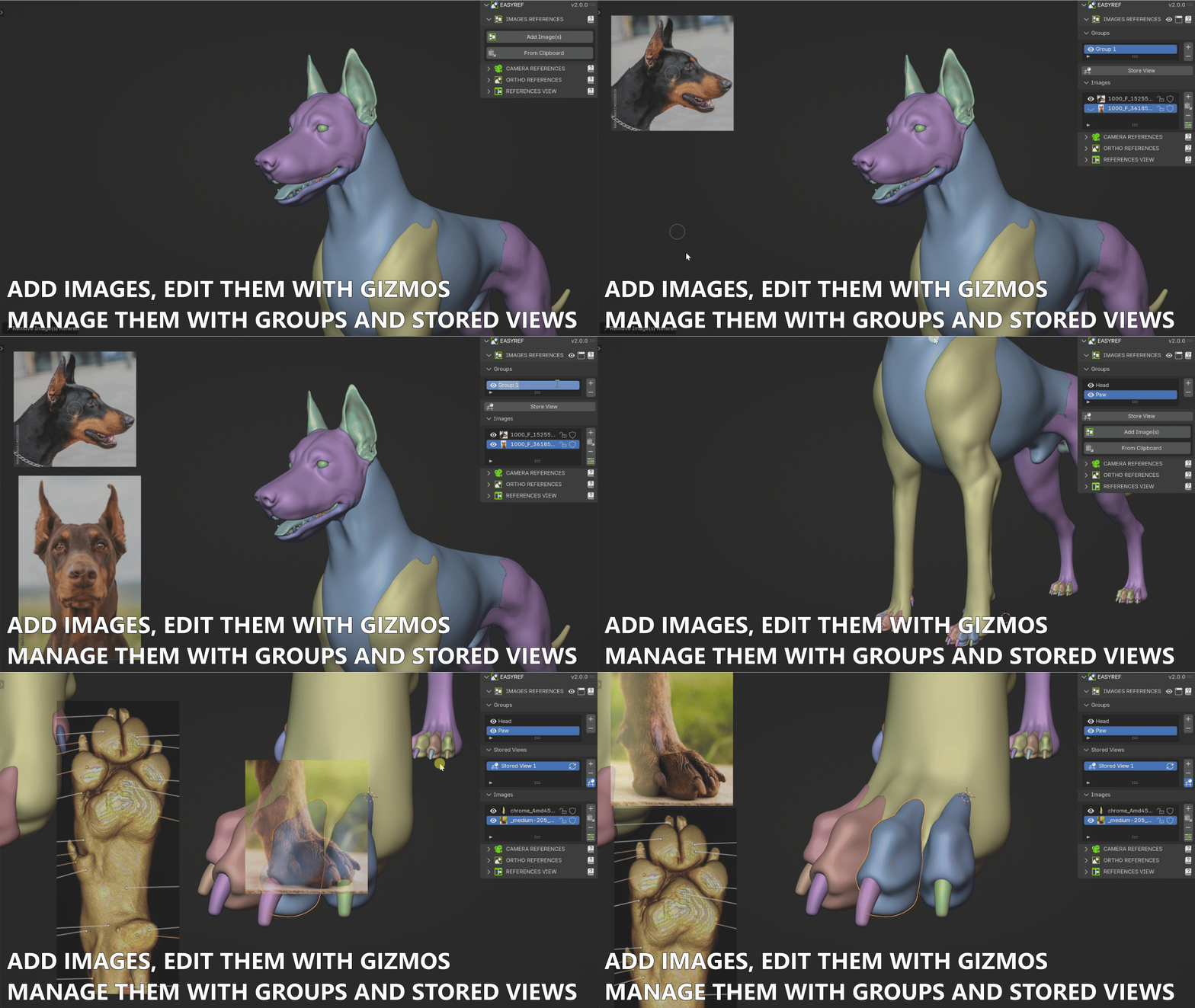
Image References
Overlay Images directly in the 3D Viewport for maximum context while you model.
- Import from files or paste directly from the Clipboard (screenshots, web images, etc.)
- Use the Gizmo tool to position, scale, rotate the image in the 3D viewport.
- Add as many images as you need, with no limits.
- Organize them into Groups to stay focused on one aspect of your work.
- Store Camera Views to instantly jump back to a specific angle at any time.
Tool 2
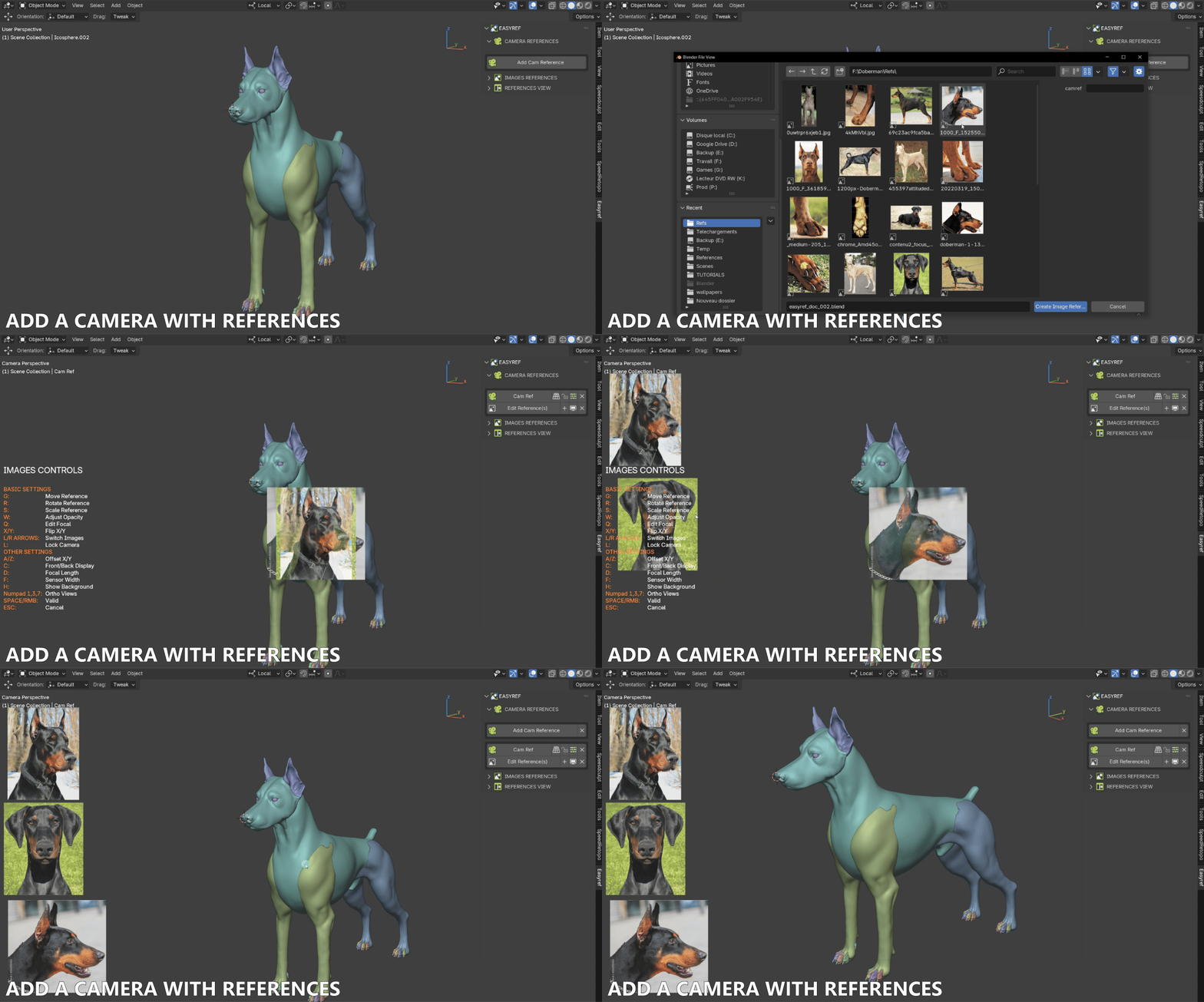
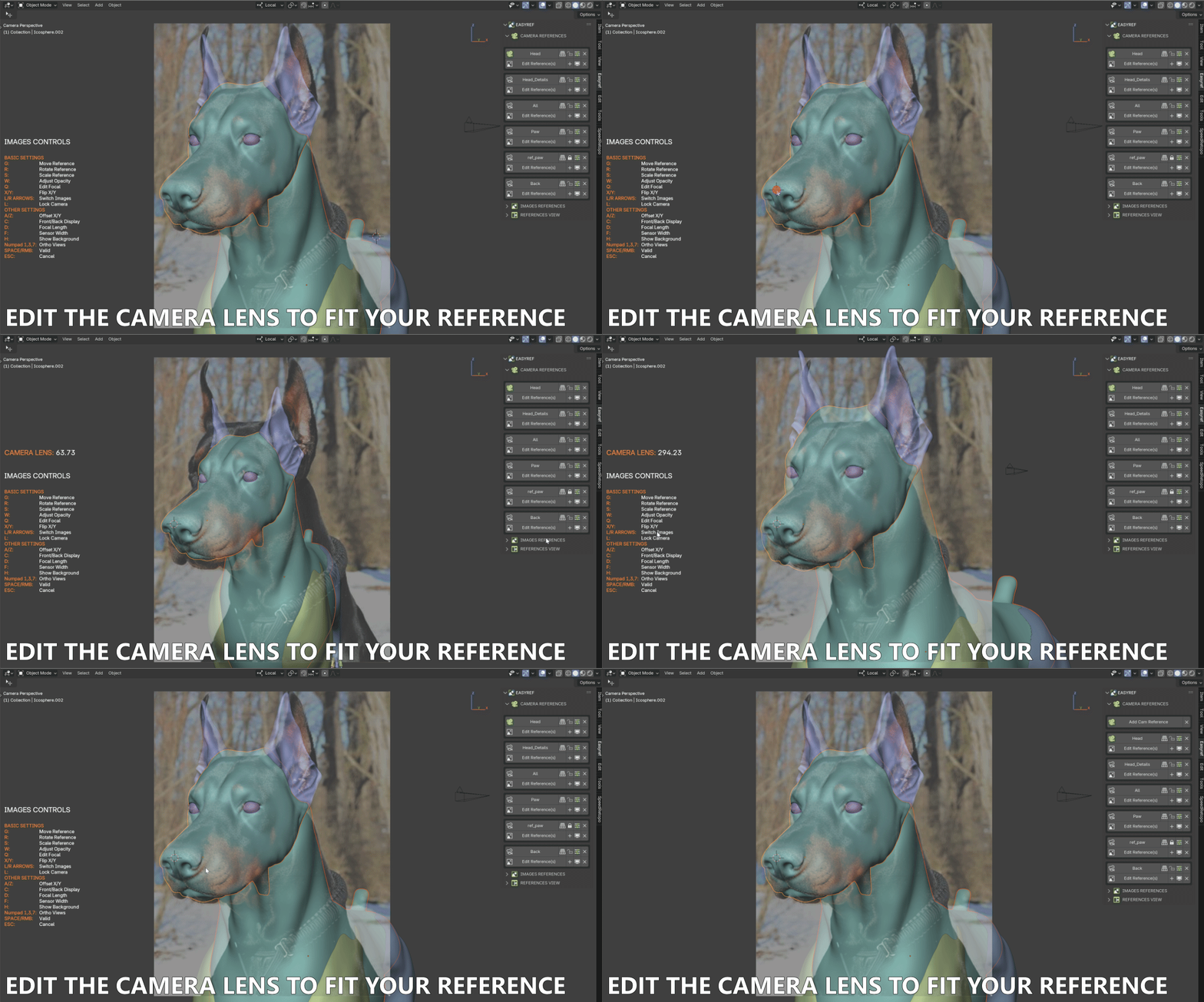
Camera References
Embed references inside a dedicated Camera to perfectly align your models with your concept art.
- Each Camera Reference can hold multiple reference images.
- Use the Focus tool to perfectly match the reference to your 3D object.
- Great for concept art matching, anatomy studies, or vehicle modeling.
Tool 3
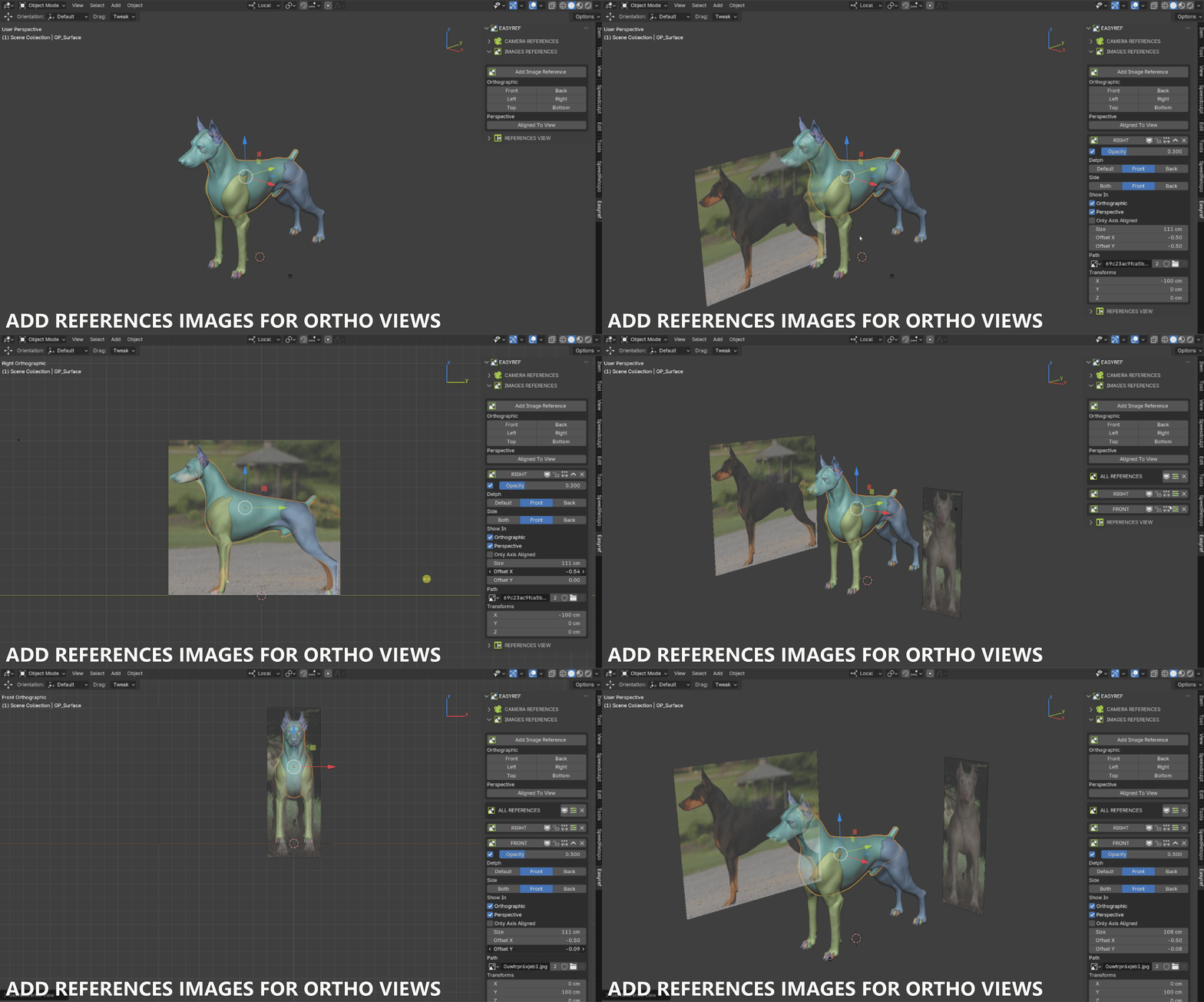
Orthographic References
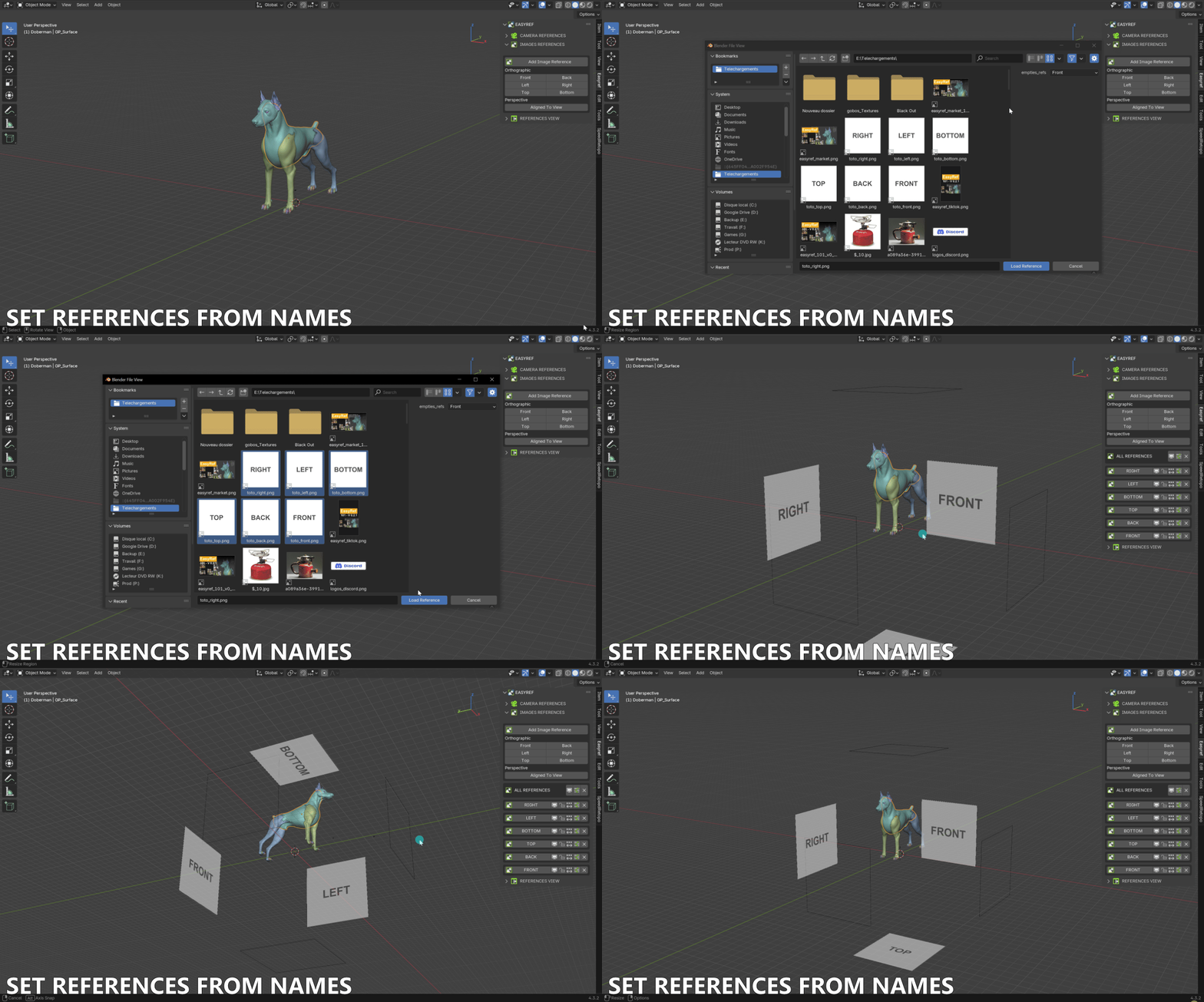
Perfect for blueprints. Place references accurately on standard Ortho Views.
- Assign references to Front, Right, Left, and Back views simultaneously.
- Multiple references per Ortho View are supported.
- Control size, distance, opacity, and position from a single settings panel.
Tool 4
Reference View
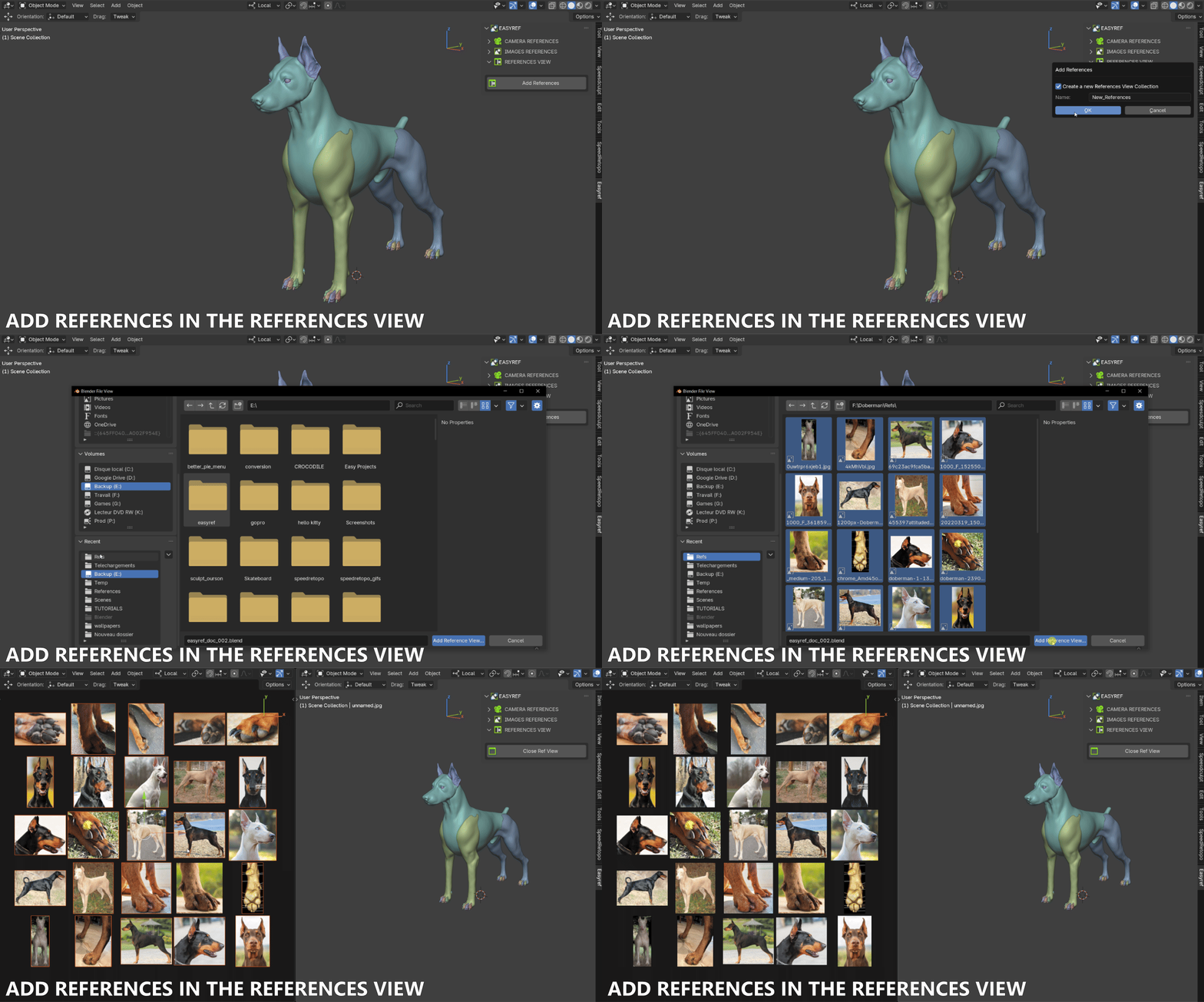
Keep your 3D viewport clean by opening a separate, dedicated side-by-side Reference Viewer.
- Open a separate Viewport panel exclusively for your reference images.
- Use Collections to organize your refs by subject or project phase.
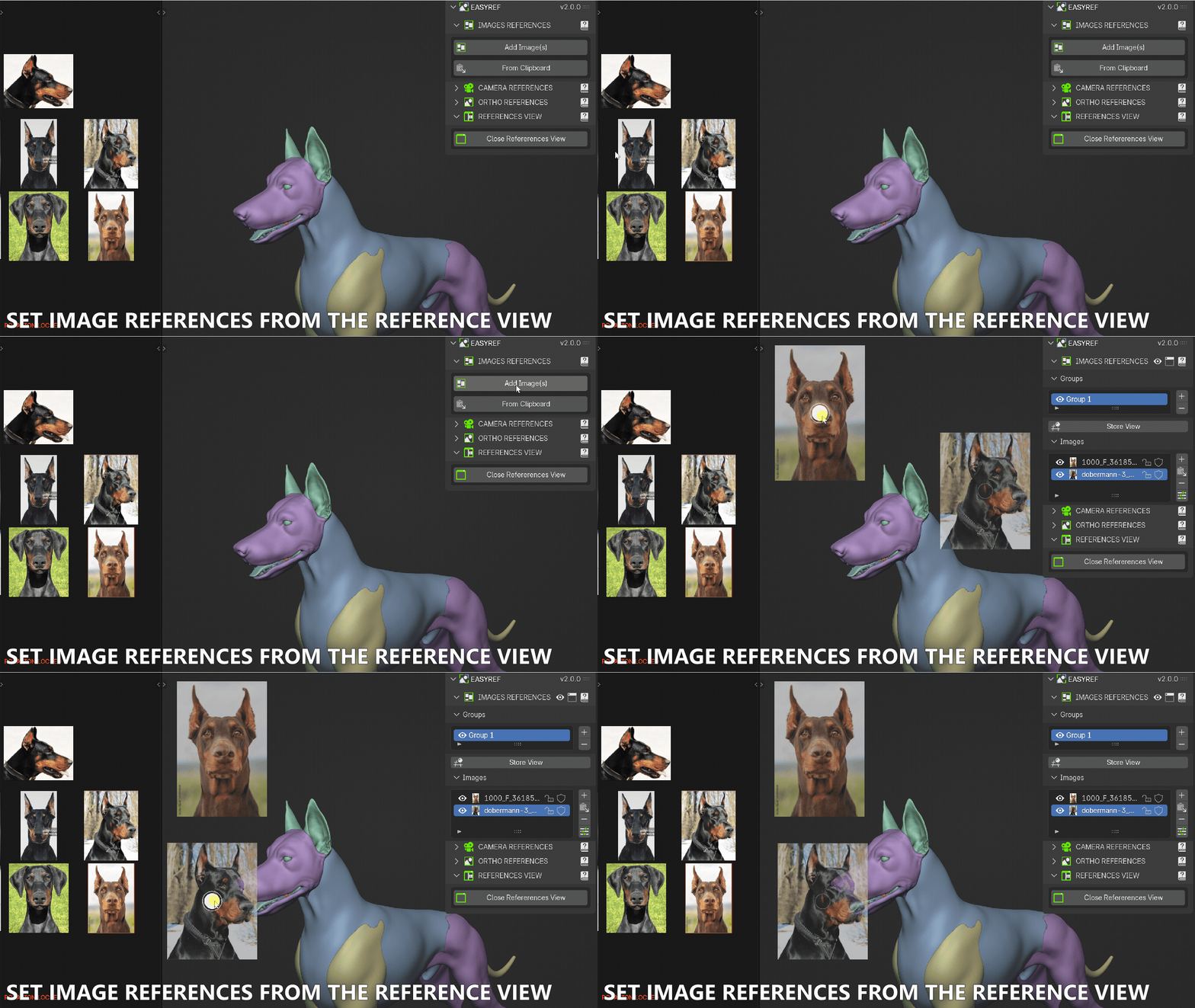
- Send any reference from the Reference View directly to Images, Cameras, or Ortho tools with one click.
Stop struggling with image planes or external softwares.
Revolutionize your Blender workflow. Start modeling with clarity, keep your workspace clean, and never lose a reference image again.
Get EasyRef now