PIEMASTER
With PieMaster, create your own menus and tools from Blender or any add-on's tools. Everything you'll ever need, design it, key it, ship it your way.
"It's very flexible, and you can turn almost anything into a pie menu. I don't have to search for functions as much anymore, and my modeling speed has definitely improved. I'm really happy with it. Highly recommended!"
"Fantastic addon, extremely comprehensive and customizable! I was able to create some pie menus exactly how I wanted! It saves a lot of time! The developer is a passionate guy, very responsive in resolving issues, and open to feature suggestions! Highly recommend it!"
"I'm very happy and really impressed with the addon. I highly recommend it."
Most Asked Question
Not Just Blender. Every Add-on You Own.
If it shows up anywhere in Blender's UI, PieMaster can turn it into a button, including tools from your other add-ons. Right-click it once, and it's captured into your menu. No coding, no digging through Python paths.
- Right-click capture - grab operators and properties directly from Blender's interface
- Any add-on, any panel - not restricted to native Blender functions
- No scripting required - point, click, and it's in your menu
Menu Type
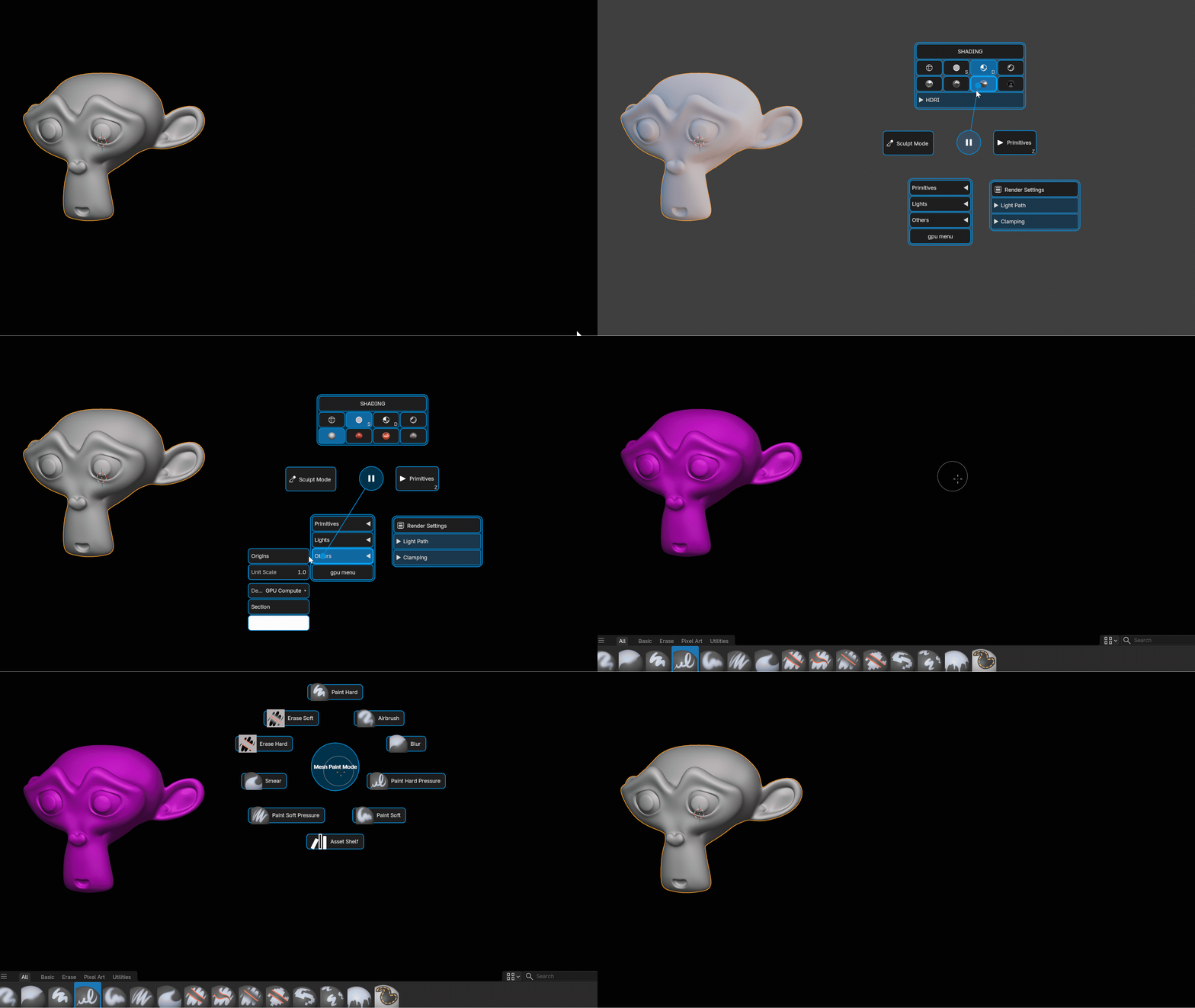
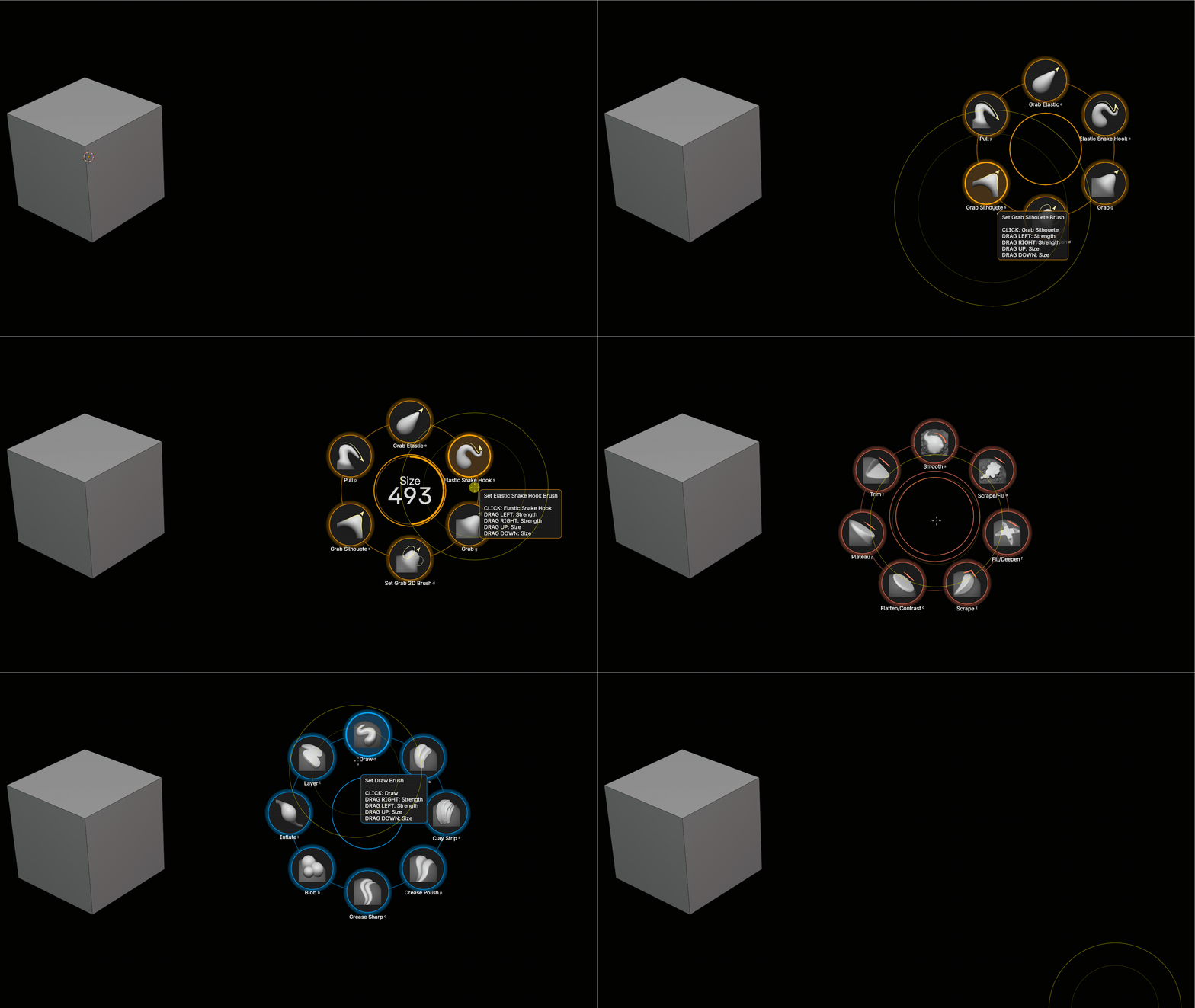
Pie Menus - Basic & Layout
Radial menus that open at your cursor. Fast, fluid, and right where you need them, with instant quick-action on key release.
- Basic mode - classic radial pie with center circle and trail
- Layout mode - no center circle, free spatial layout instead of fixed directions
Smart features like pause, Value, Pie Call, Triggers, and more.
Menu Type
Simple Menus
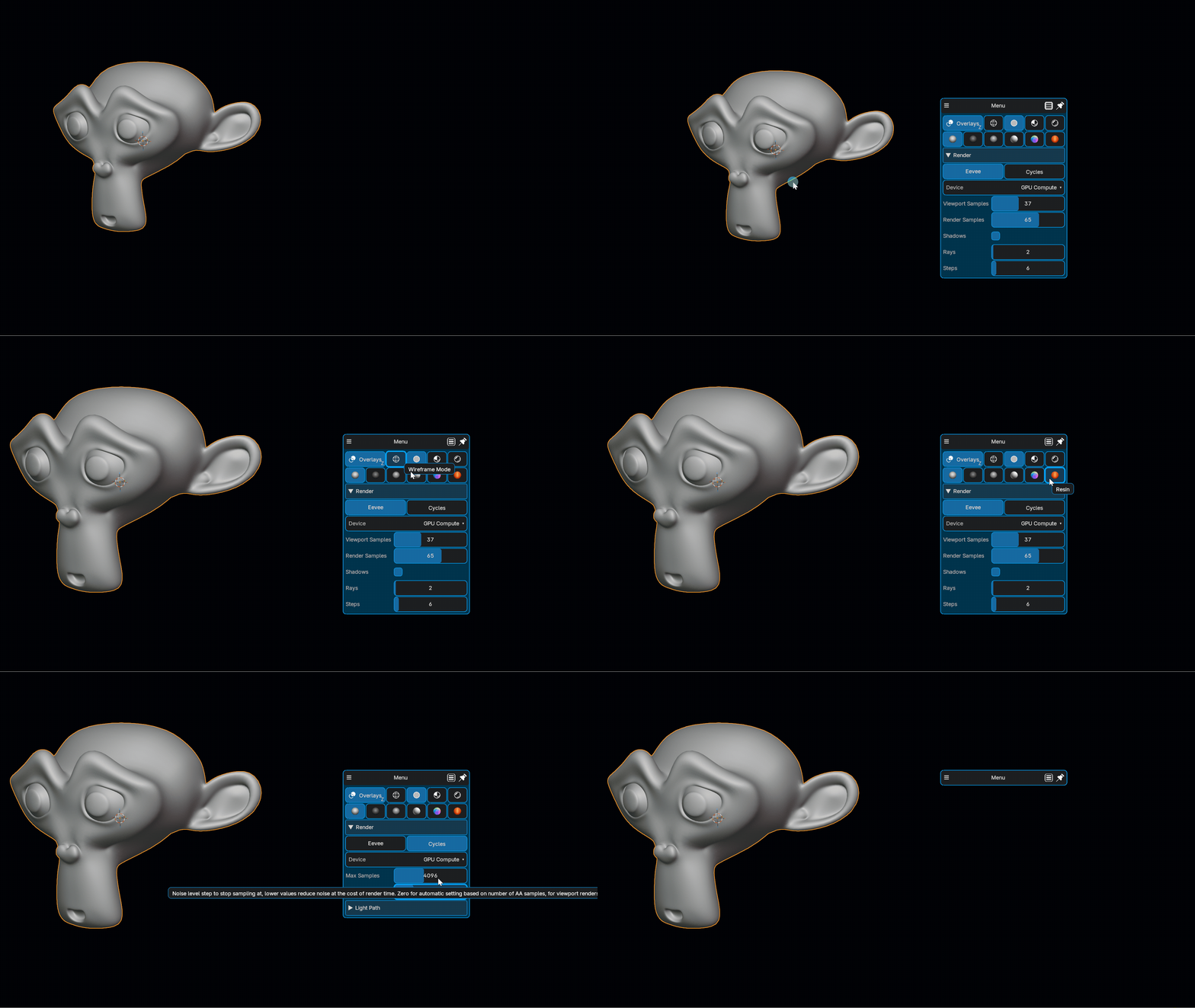
Clean dropdown-style menus for linear workflows. Group actions, tools, or operators in a compact list, always exactly where your mouse is. Stays visible after use, with auto open/close support for a seamless experience.
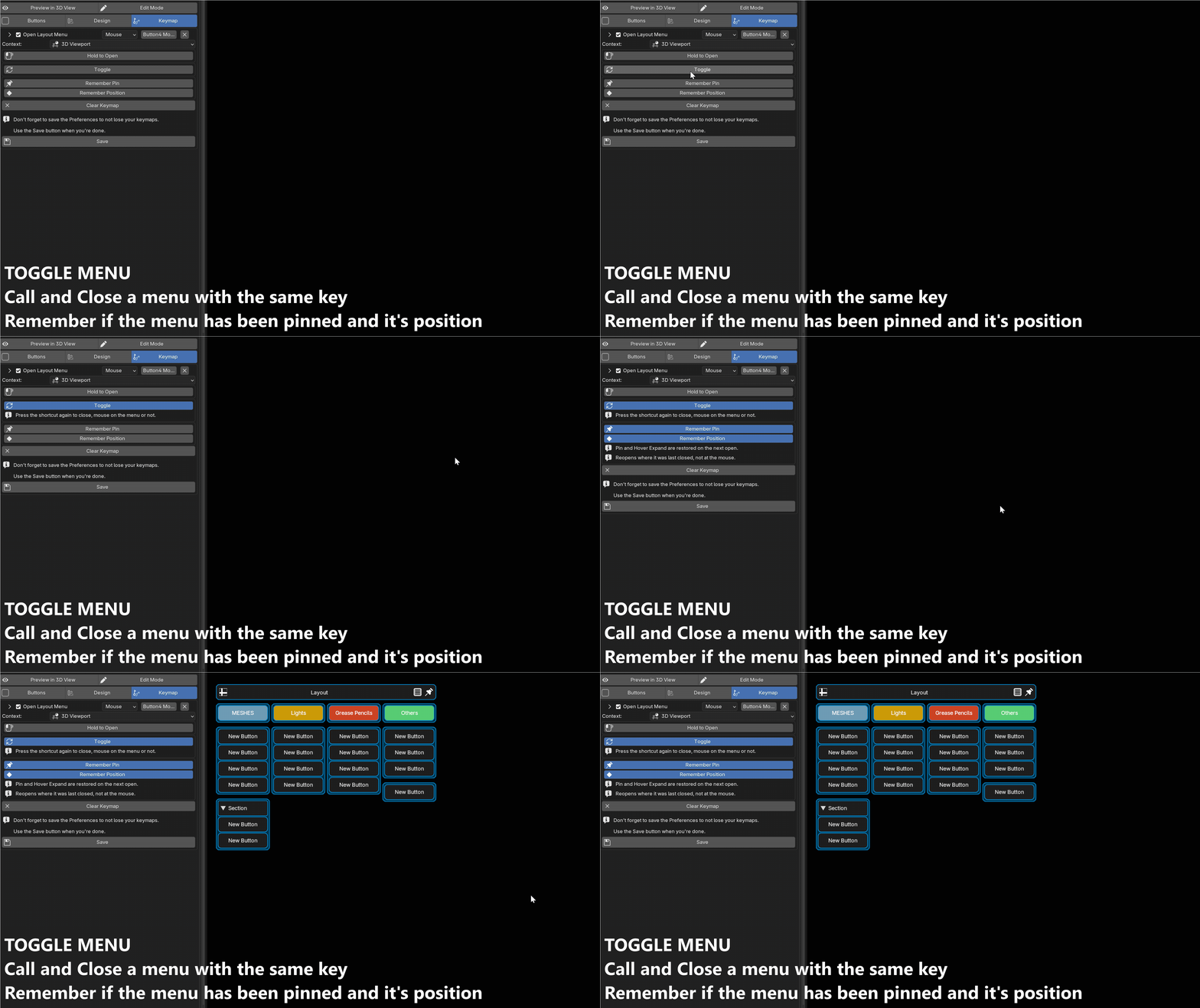
Press the shortcut again to close the menu, wherever your mouse is, no need to aim at anything. Drag it where you want it and it stays there: PieMaster remembers the pin state and the last position, so a panel you moved once reopens exactly where you left it.
- Toggle - the same key opens and closes the menu
- Move it anywhere - drag the menu to the spot that suits you
- Remembered - pin state and position are kept for next time
Menu Type
Layout Menus
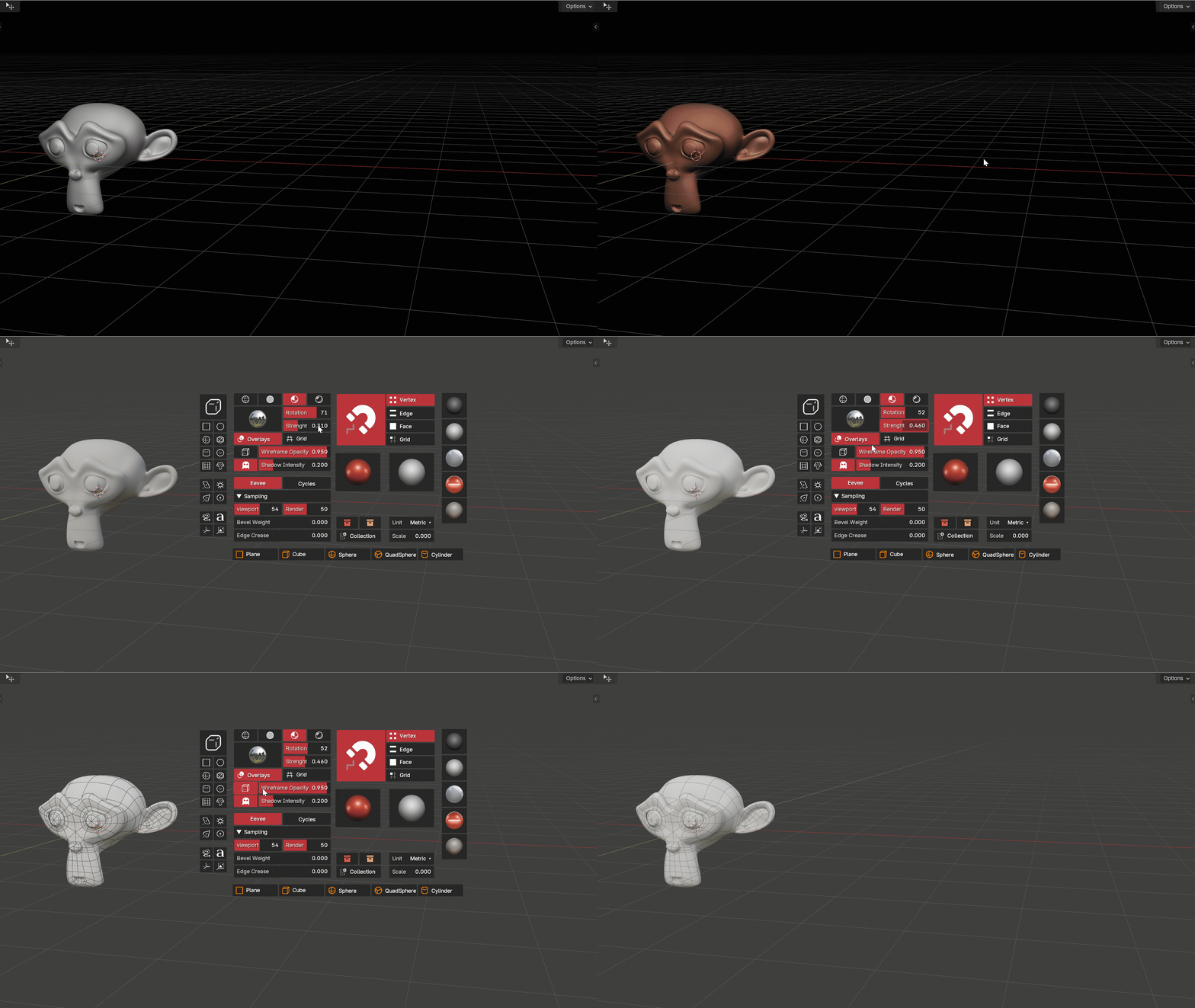
Column-based layouts for complex toolsets. Organize buttons in a structured grid and build powerful custom panels right in your viewport. Resize each column independently, stays visible with auto open/close for fluid multitasking.

Menu Type
Object Menus
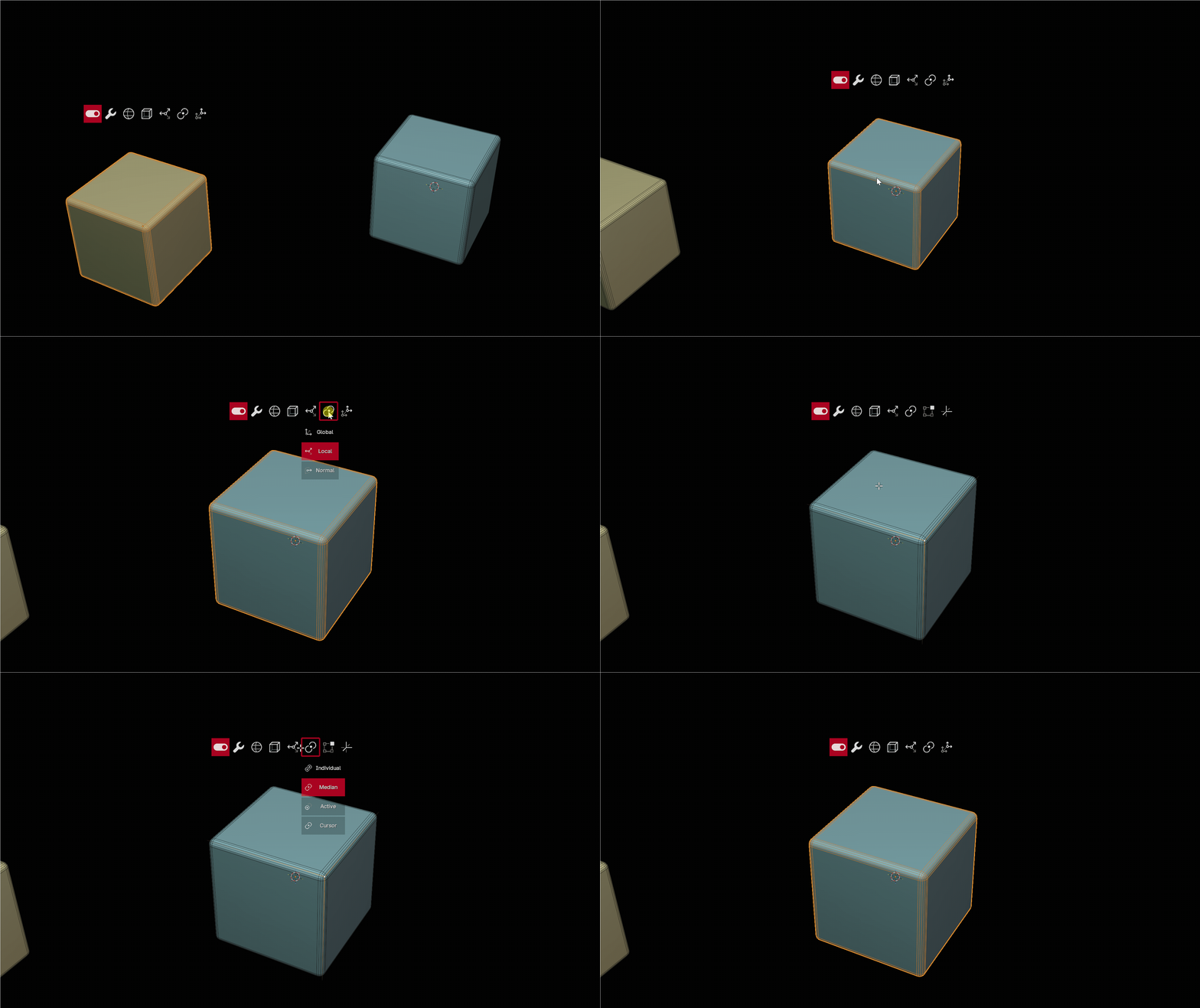
A menu attached to the object itself. Select something in the viewport and its menu appears right next to it, no shortcut, no hunting for a panel. Deselect and it is gone.
It follows the object as you orbit, pan and zoom, stays readable at any distance, and several object menus can be on screen at once, each on its own object.
- Follows its object - stays beside it at any zoom level
- Shows itself - driven by a condition, so it appears only when it is relevant
- Several at a time - one menu per object, all live together
Menu Type
Consistent Menus (LOCKED)
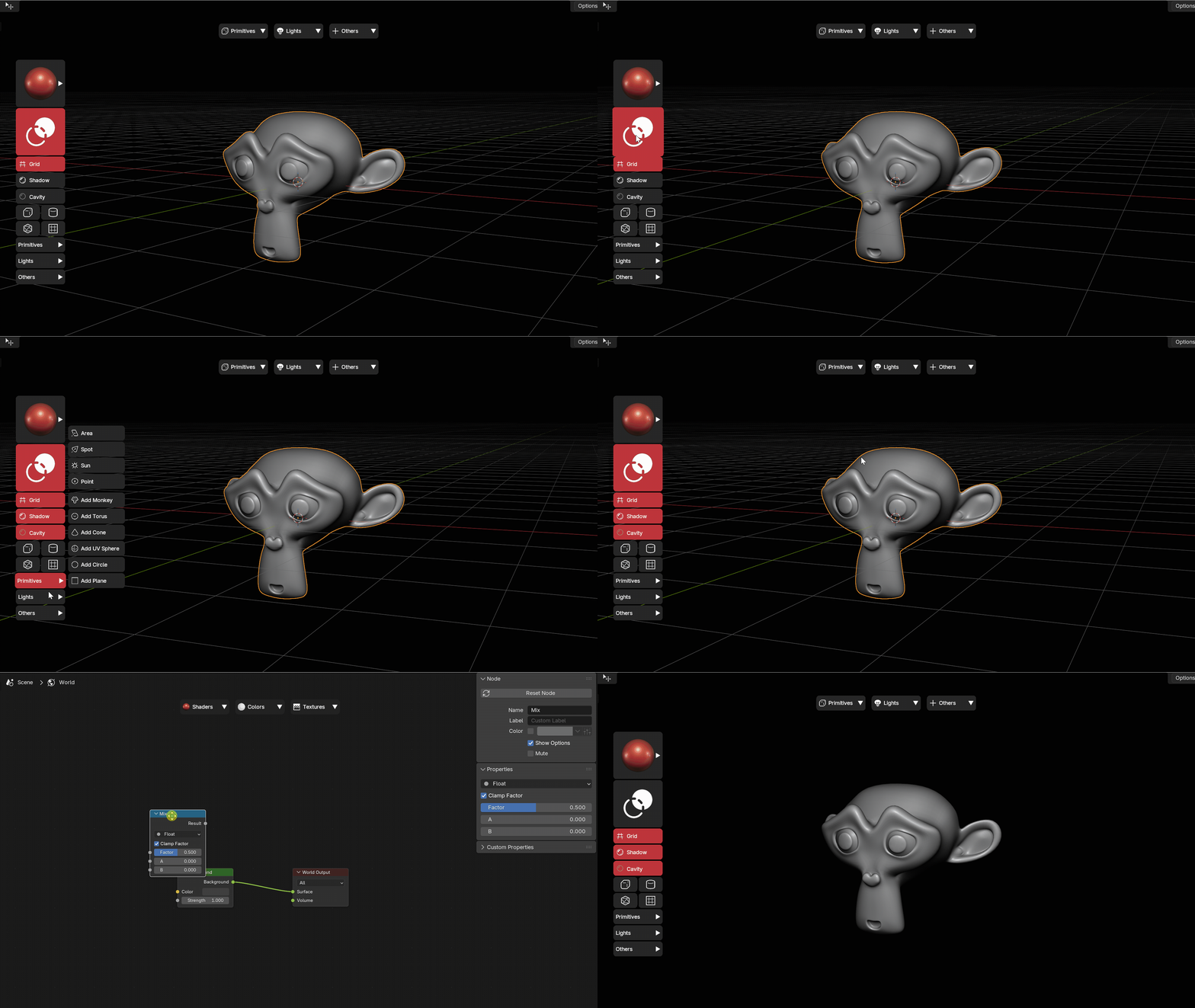
Pin a Simple or Layout menu to a fixed spot on screen and it stays there, always visible, no keymap needed. Set an Auto-Show condition and it opens and closes itself based on your context: sculpt mode, edit mode, a selected tool, anything you can write a condition for.
- Fixed position - anchored to a screen corner/edge, never drifts
- Auto-show by condition - shows only in the mode/tool/editor you pick
- Works in any editor - not limited to the 3D Viewport
- One-click declutter - Ctrl+Click the header button to toggle all LOCKED menus at once
Visual Editor
Create and Edit Menus in Seconds
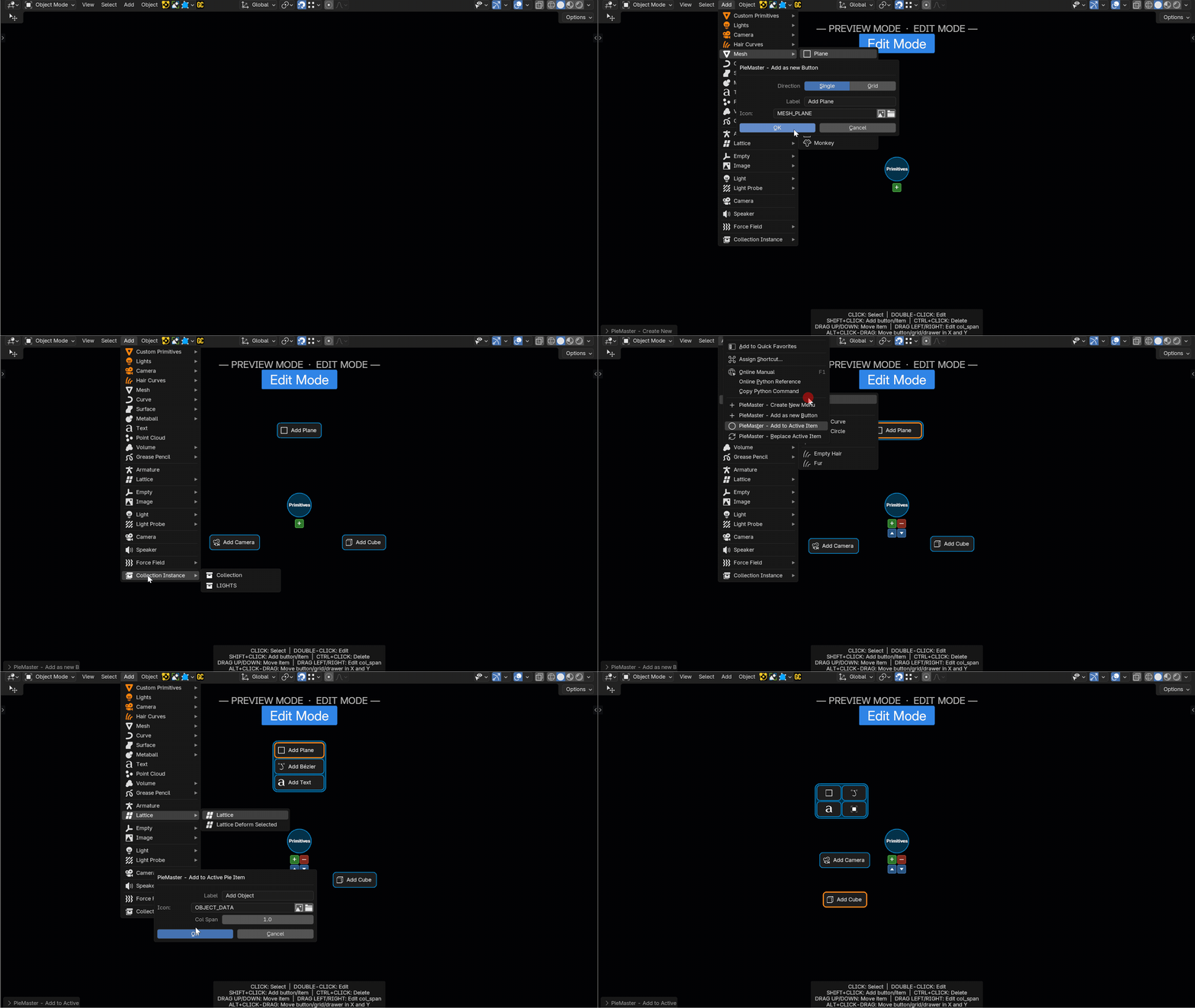
Build everything directly in Blender's preferences or right in the 3D view with Edit Mode. Click any button to edit it on the spot: change its label, icon, trigger, size or position.
- Click to edit - select any button and modify it instantly
- Drag to reorder - rearrange buttons freely in your layout
- Live preview - see changes in real time as you build
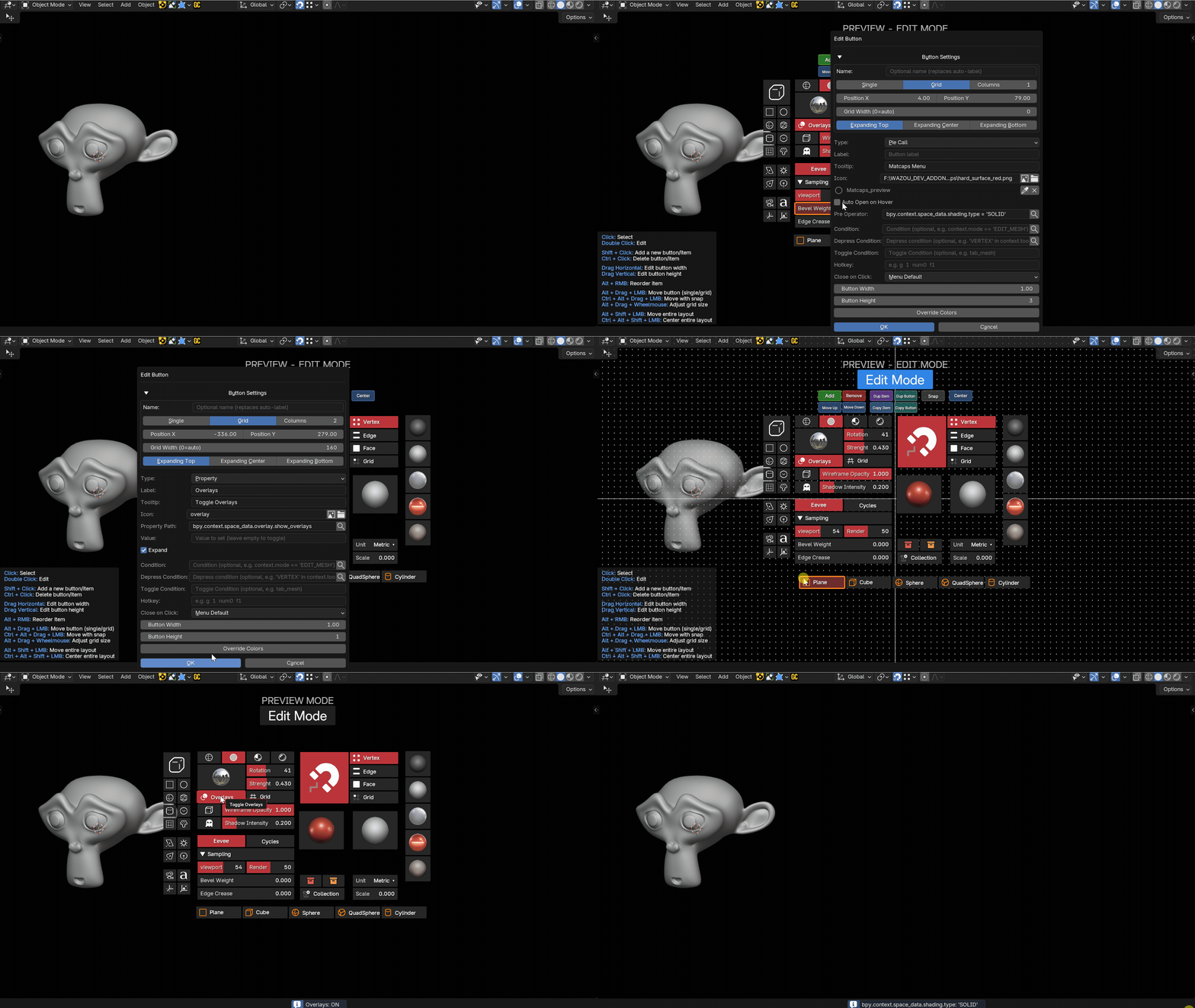
No Ceiling
As Many Buttons as You Need
Add as many items as your workflow demands. PieMaster handles them all, organized, readable, and always at your fingertips. Build the menu you always wanted, with no arbitrary limit holding you back.
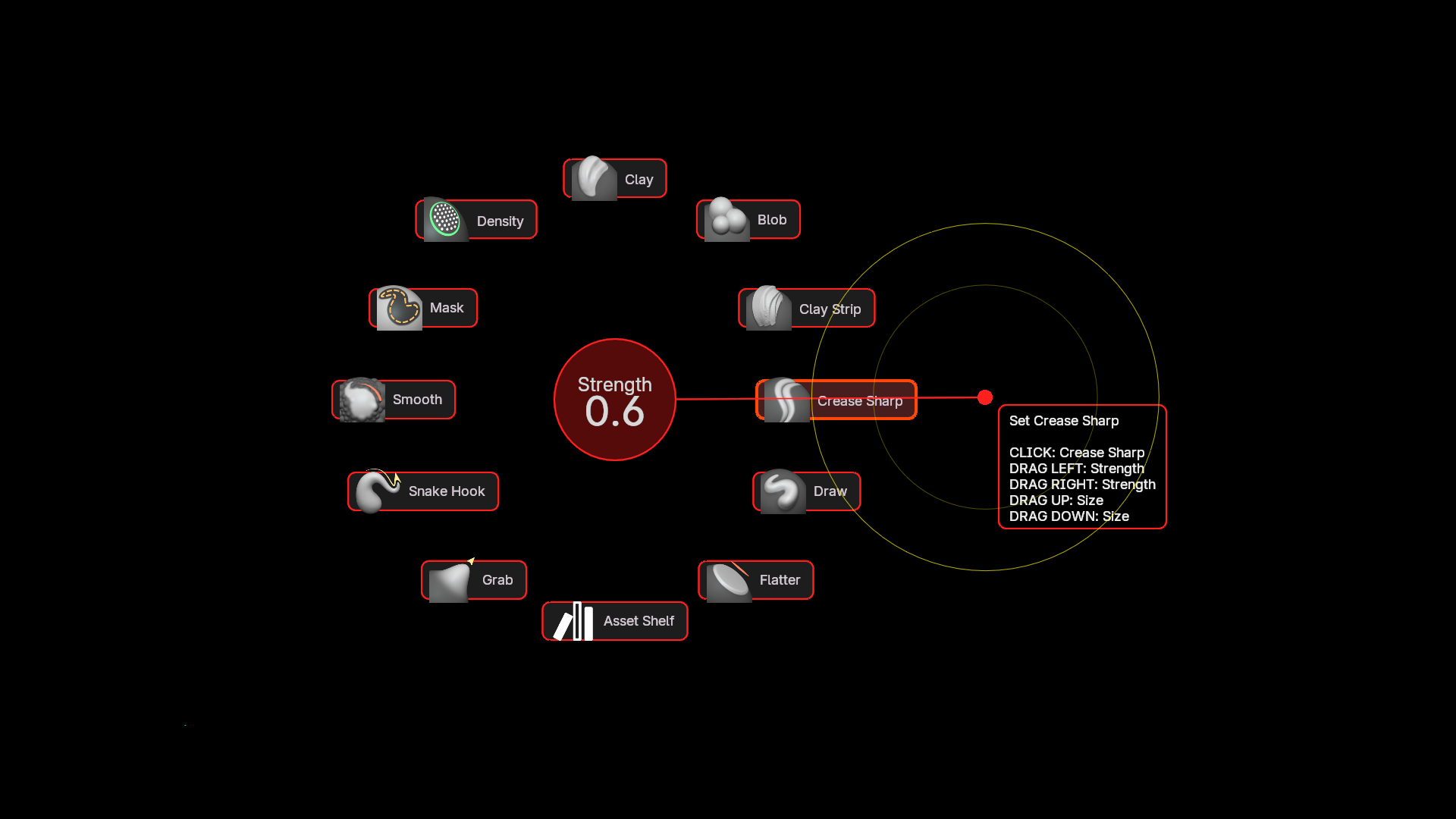
Button Types
Singles, Grids, Sliders & More
Every menu is built from flexible building blocks. Mix single buttons, grid groups, and sliders in the same menu. On pie menus, drag buttons to any position and create fully custom spatial layouts, your menu, your shape.
- Single buttons - classic action triggers
- Grids - compact multi-button groups
- Sliders - adjust values directly in the menu
- Drawers/Menus - add Items in the drawer (Operators, Properties, etc.), with rows and icon-only mode
- Row Span - resize button height for custom grid layouts
- Free placement - drag buttons anywhere on pie menus
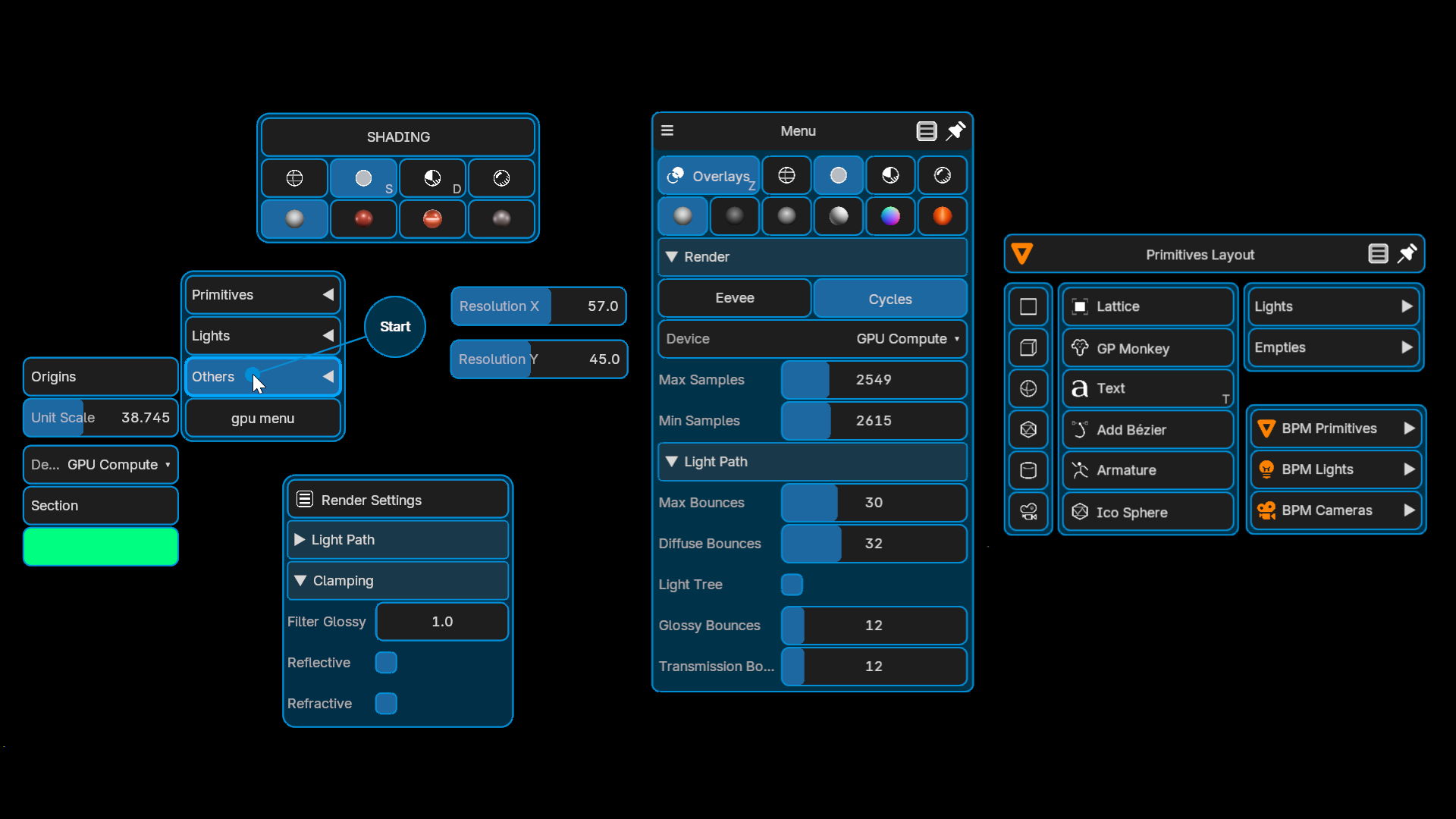
New
Drawers That Build Themselves
A drawer slides out of a button and holds as many items as you need, arranged in rows, icon-only, nested, with any button type inside. And it does not have to be filled by hand.
Point it at a folder of assets, at the modifier stack of the active object, or at a Python function, and its buttons are built from the scene every time the menu opens.
- Modifiers - one sub-drawer per modifier of the active object, with its parameters, its toggles and its actions, no script to write
- Asset folders - models, textures, HDRIs and materials, imported on click, with thumbnails and subfolders
- Python - whatever your function returns, laid out from the drawer settings
- Live - a generated drawer follows the scene, even in a menu that never closes

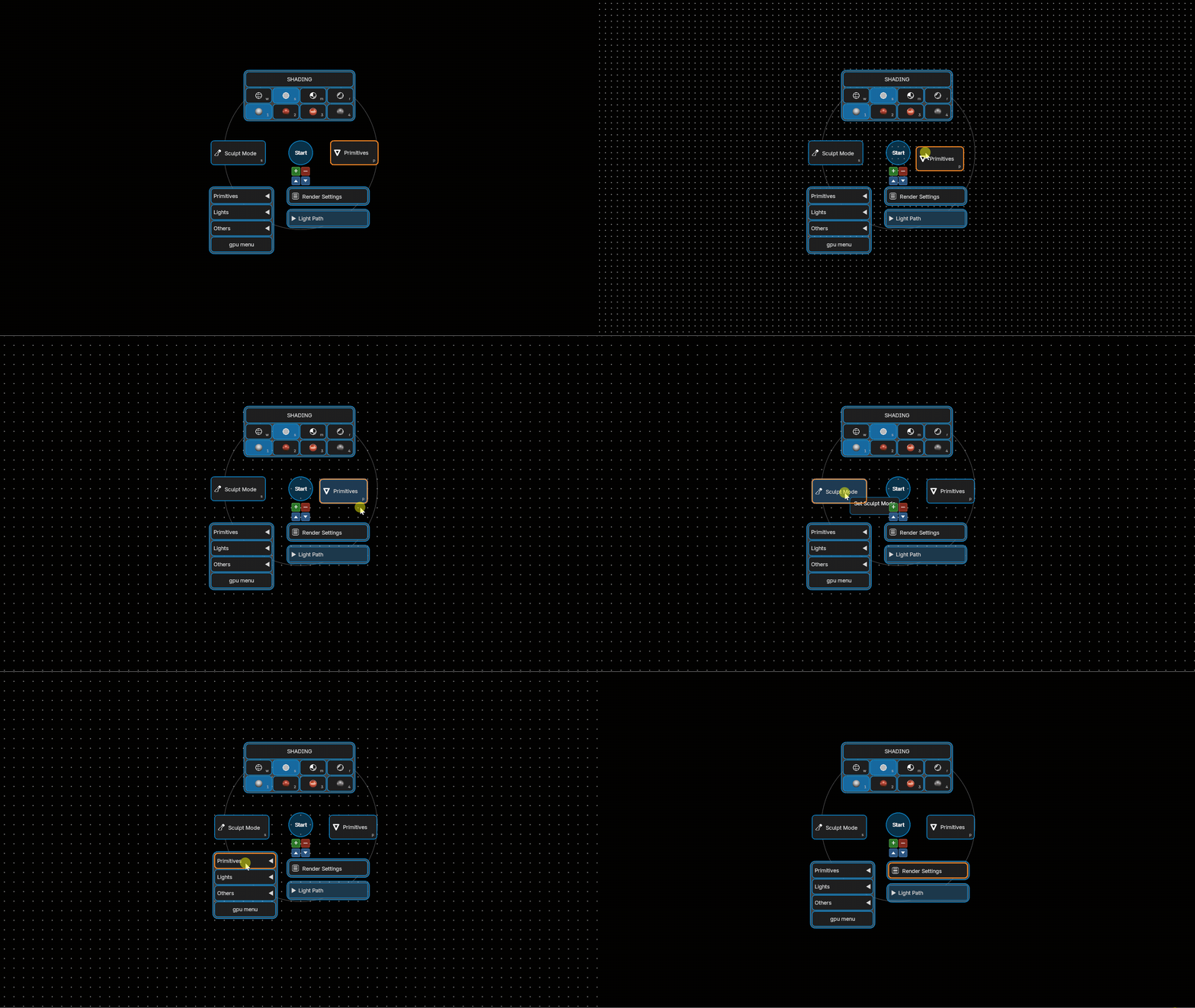
Your Layout
Arrange Buttons Your Way
On pie menus, nothing is locked. Move buttons and grids freely across the surface, build the exact layout that fits your hand and your workflow, every time.
Use the snap grid to place your buttons/grids.

Full Control
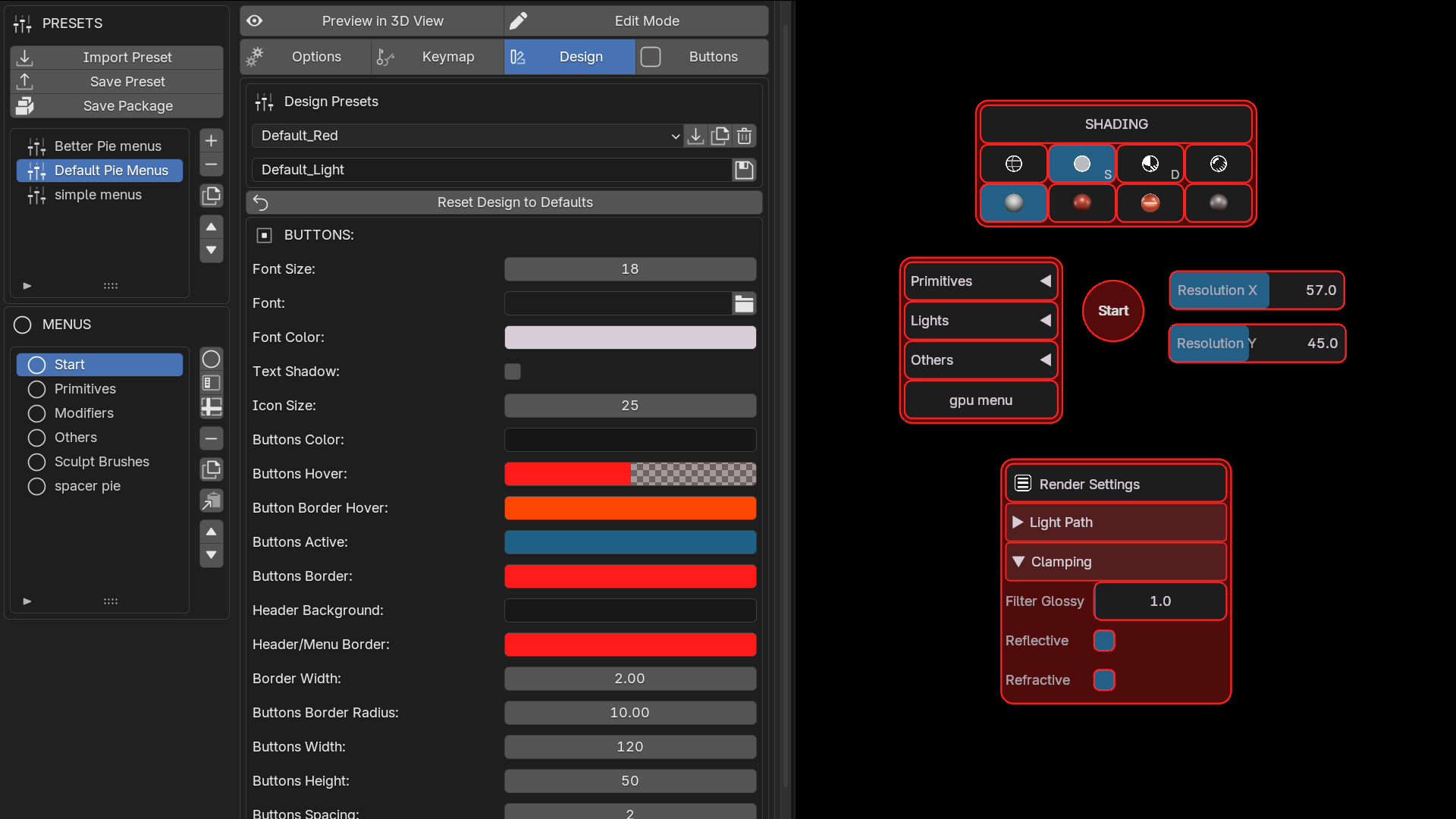
Design Every Detail
Customize each menu independently: background color, text color, font size, border radius, opacity, item height, and more. Use your own PNG files as icons on any button. Add sound feedback on trigger. Make it yours.
- Colors & fonts - per menu, per button
- Custom icons - any PNG file as a button icon
- Sound feedback - audio on trigger
- Share your presets to your friends
Power Per Button
40+ Triggers & Smart Conditions
Each button supports over 40 trigger types. Run operators, execute Python, toggle properties, open nested pies. Combine with conditions at the menu, button, or trigger level to show only what's relevant, context-aware menus with zero noise.
- Operators - run any Blender operator with custom parameters
- Python - execute any script directly from a button
- Properties - toggle, set, or cycle any value
- Conditions - per menu, per button, per trigger

Deep Workflows
Nested Pie Menus
One pie can open another. Build layered menu systems where each level reveals exactly the right set of tools, navigate complex workflows in a single fluid gesture without leaving your viewport.
- Unlimited depth - nest pies as deep as needed
- Smart key inheritance - hold trigger key flows through nested levels
- Quick-action - release key to instantly execute on a single item

New
Shortcuts on Buttons, Gestures on Menus
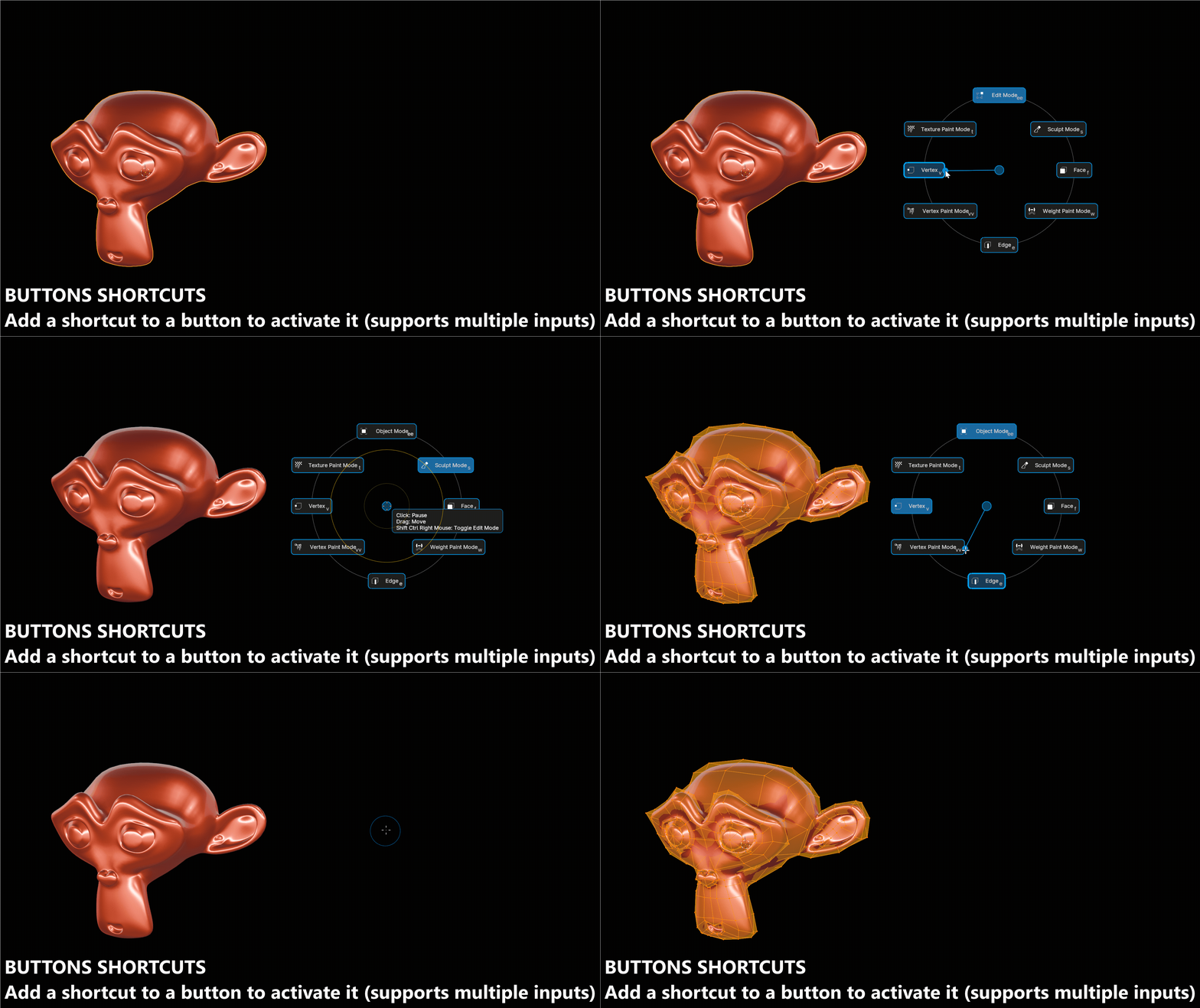
A menu is not the only way in. Any button in an open menu can be fired straight from the keyboard, and any button can carry a Global Shortcut that runs it from anywhere, without its menu being open at all.
- Button hotkeys - one key, a sequence typed one key after another, or several alternates that all fire the same button
- Global Shortcuts - fire a button from anywhere, menu closed
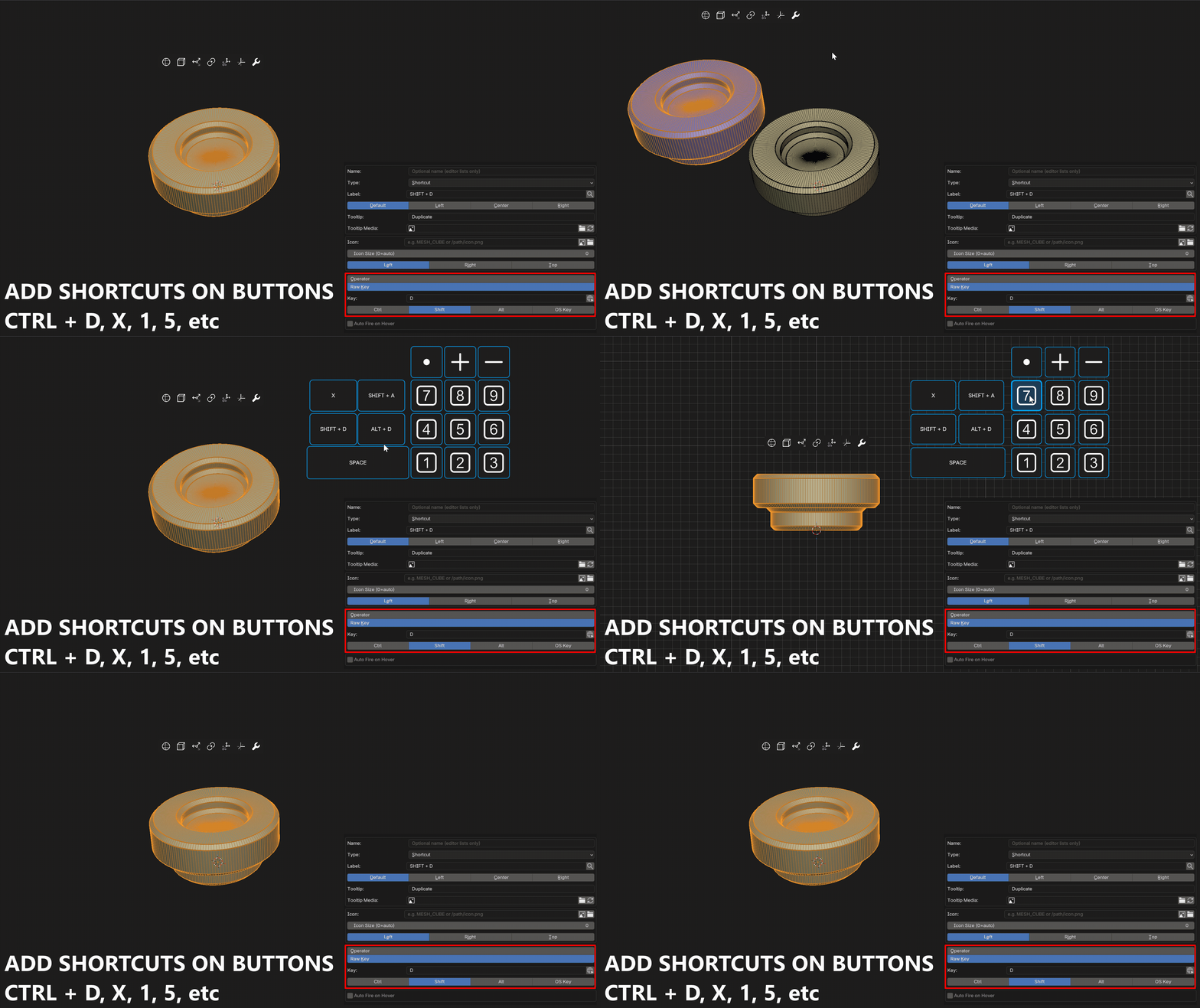
- Shortcut buttons - put any Blender key combination on a clickable button, press, release, click, double click or click-drag, held keys included
- Raw Key mode - reach keys with no operator behind them, ESC, arrows, Return, and the mouse buttons and wheel too
New
Gestures - One Shortcut, Many Menus
Hold a shortcut, draw a shape with the mouse on a 3x3 grid, and the shape decides which menu opens. The Android unlock pattern, applied to Blender.
Every gesture on the same key combination shares a single keymap entry, so ten menus on Ctrl+drag cost you one shortcut instead of ten. No more hunting for a free key every time you build a new menu: keep one combination and give each menu its own shape.
- On menus and on buttons - a button's Global Shortcut takes a gesture too
- Toggle - draw the same gesture again to close the menu
- Forgiving - the movement is read, not the position, so nothing has to be aimed at
- Fully styled - line, dots, grid size, and an option to block the click under the cursor so drawing never selects anything

Full GPU
Smooth, Sharp, Fast
Every menu is rendered directly on the GPU. Custom colors and fonts, with instant response and zero performance cost no matter how complex your menu is.
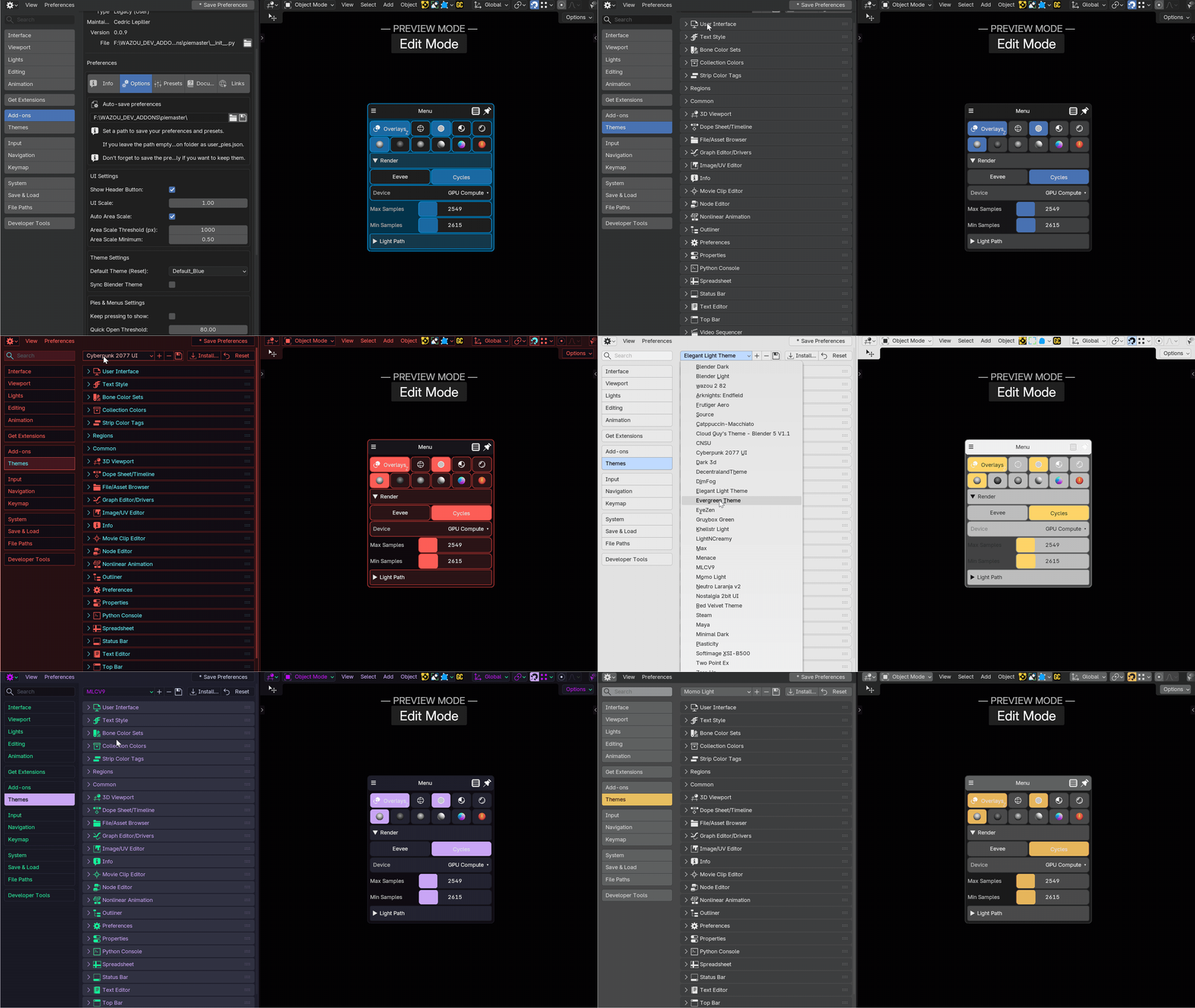
Theme Sync
Blender-Native Look
Enable automatic theme sync and PieMaster matches Blender's active color theme, always consistent, always at home in your UI without any manual tweaking.
Share & Reuse
Import / Export Presets
Export your entire setup, menus, design, keymaps, as a single file. Share with teammates, sell your workflow, or back up your setup in seconds. Import any preset and be ready to work immediately.
Everything Inside PieMaster
Build the menus Blender never gave you.
PieMaster puts you in full control of your Blender UI. Design, customize, and share GPU menus that work exactly the way you think.
Get PieMaster NowBlender 4.2 LTS+ / 5.1+ · Active support