STARTUP SCENES MANAGER
Effortlessly create and manage multiple startup scenes. Switch workflows instantly when creating a new scene.
One setup per workflow
Saves layout & settings
Load any scene instantly
Creation
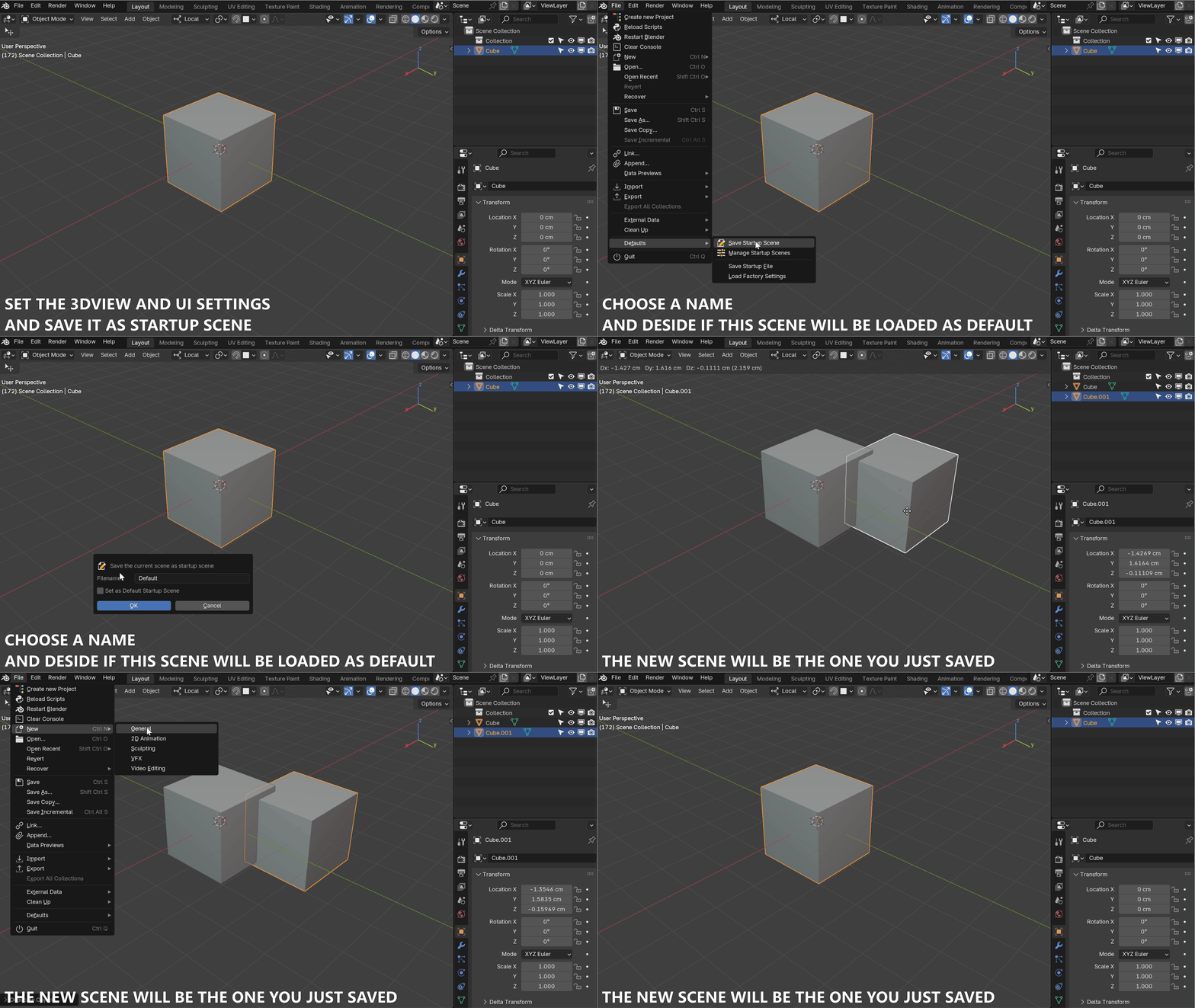
Save Your Startup Scenes
Set up your workspace exactly how you want it: configure your viewports, modifiers, render settings, and UI layout.
Once you are happy, save it as a new Startup Scene. You can create as many variations as you need (e.g., one for Sculpting, one for Animation, one for Geometry Nodes).
Management
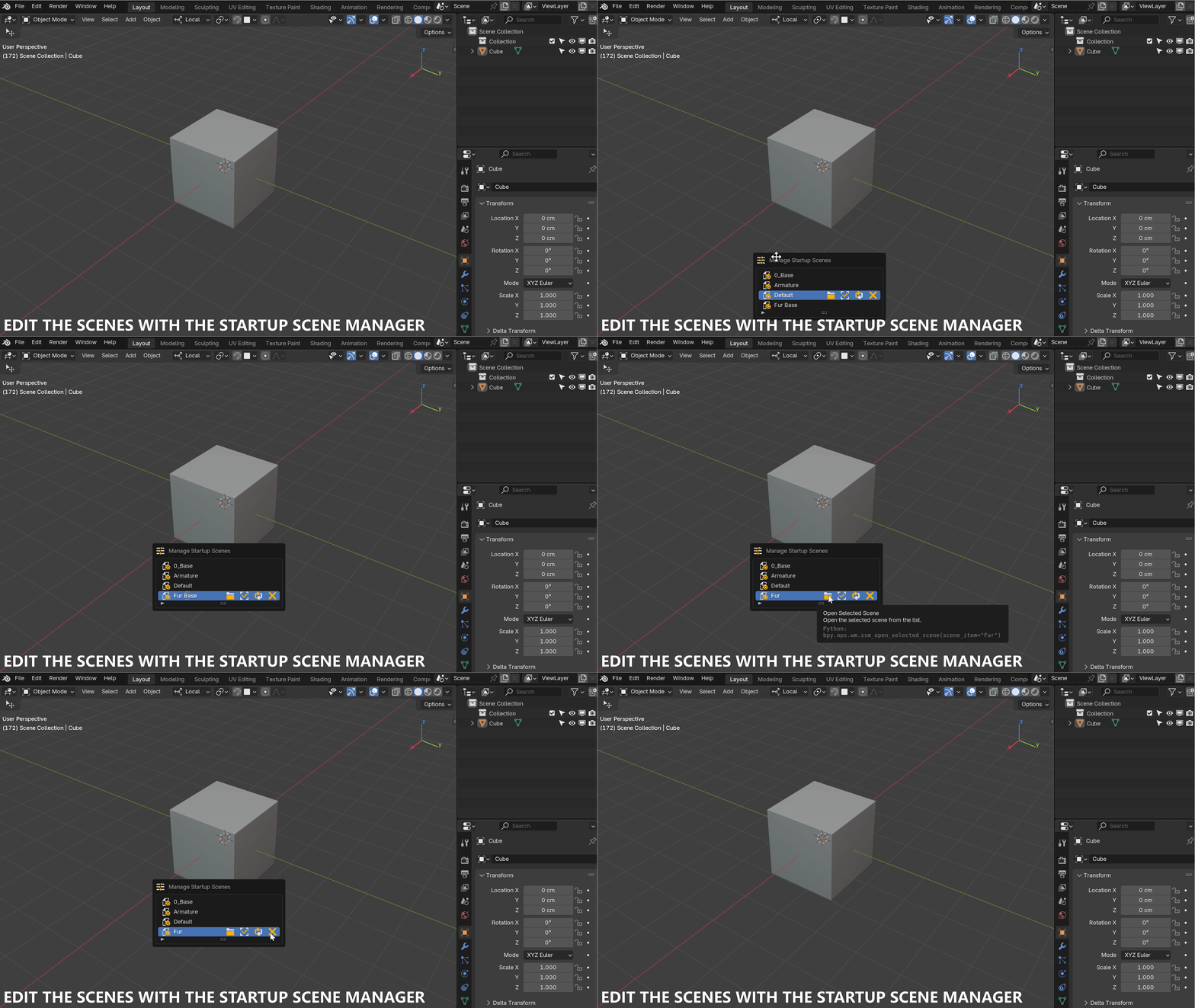
Full Control Manager
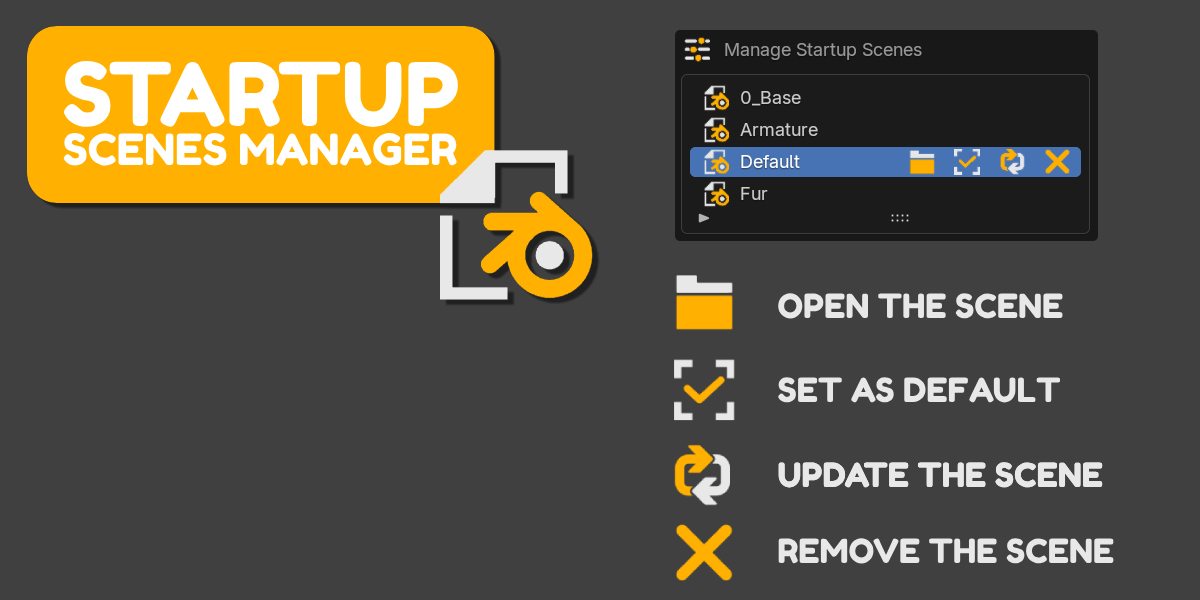
Organize your scenes effortlessly. Double-click to rename, update an existing scene with your current settings, or remove the ones you don't need anymore.
The manager preserves your UI configurations, ensuring a consistent workspace every time you load a scene.
Workflow
Set Your Default
Choose which scene loads automatically when you launch Blender or create a "New Scene".
No more re-configuring your layout every morning. Switch defaults based on your current project phase with a single click.
Get Started Today
Optimize your Blender experience with the Startup Scenes Manager. Stop wasting time setting up your viewports and focus on creating.